Your reseller login
Your reseller login opens the management dashboard. Customer viewing details belong to the lines you create; they are separate from your reseller access.
 Ultra 8K OTTReseller panel
Buy a panel
Choose a credit package and talk to us about your setup on WhatsApp.
Talk about my setupChoose your Ultra 8K credit package and send us the package you want on WhatsApp. We confirm your order and send your reseller access in under 5 minutes after verifying that the payment has arrived.
Your reseller login opens the management dashboard. Customer viewing details belong to the lines you create; they are separate from your reseller access.
Start with 120, 600 or 1,200 credits. One customer month uses one credit, and unused credits never expire.
Sub-reseller management is included in every package. You can manage your network alongside your customer accounts.
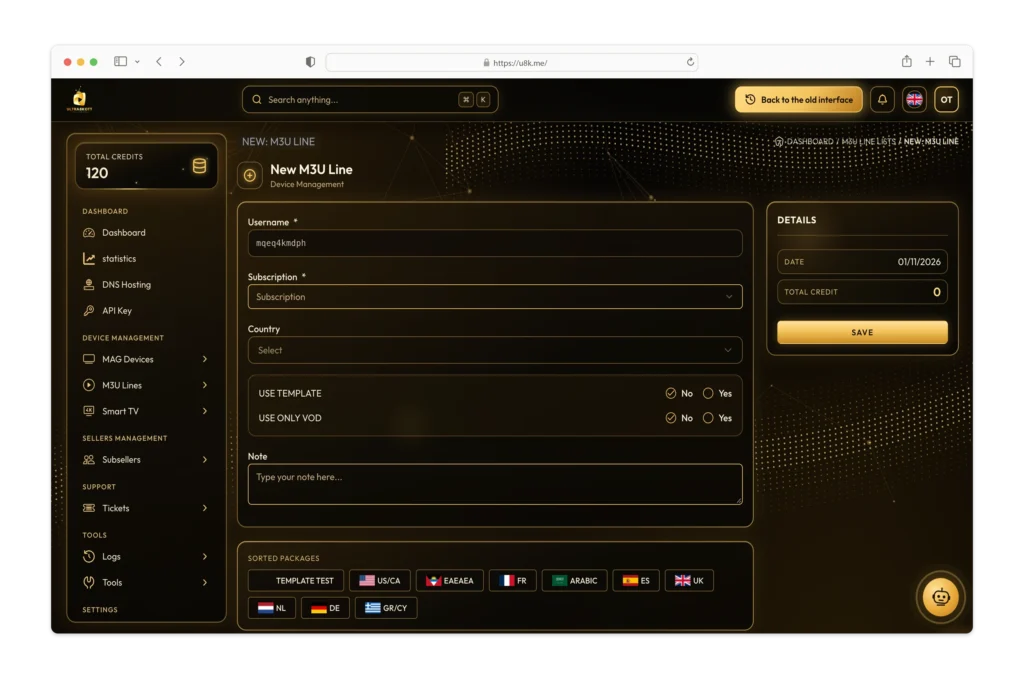
Open the M3U line area, choose the subscription duration and review the country settings for your customer. A 3-month line uses 3 credits; a 12-month line uses 12.
Keep customer viewing details separate from your reseller login. Contact our support if you need help with the setup.
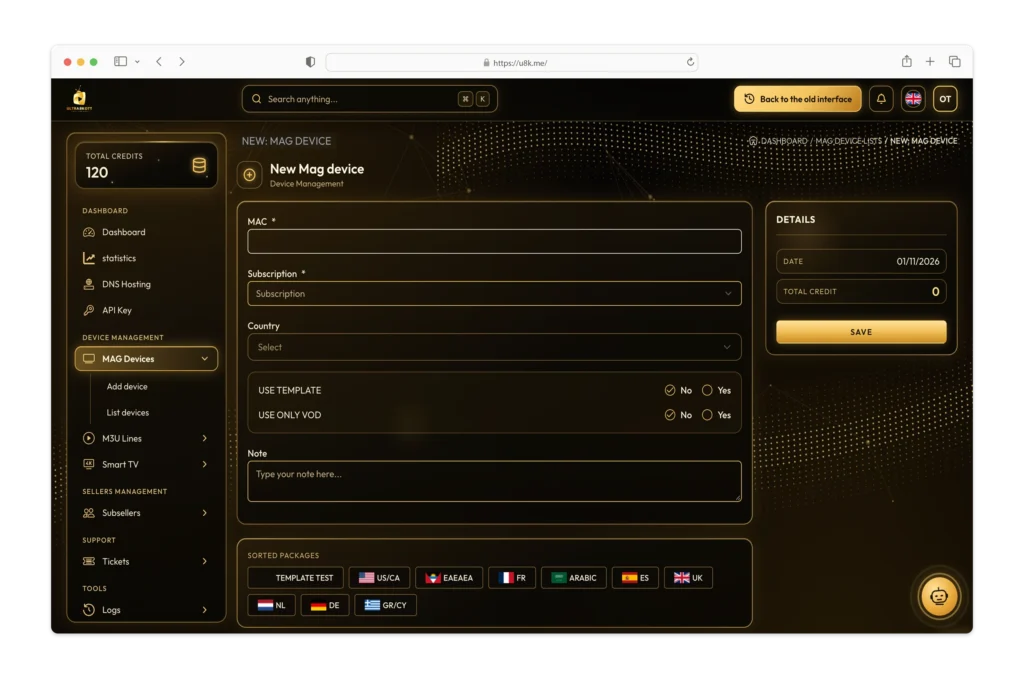
Use the MAG device area for the customer device. Have the device model and MAC address ready, and check the subscription settings before activation.
If you need help, send us the device model and the step where you are stuck. Do not post passwords or customer details publicly.
Support is available 24/7. For panels purchased from us, you can order more credits for the same account when your balance runs low. We recharge your balance after confirming receipt of your payment.
Contact reseller supportCompare the credit packages and choose the balance that fits your customer subscriptions.
Message us on WhatsApp with your package and setup questions.
We send your panel login in under 5 minutes after confirming receipt of your payment.
Ultra8KOTTPanel.com handles reseller panel orders, setup enquiries and credit recharges for panels bought from us. Our WhatsApp support is available 24/7.
Keep the panel you bought from us. Confirm the account and package, and we add credits after confirming receipt of payment. Unused credits never expire.
Read the recharge guidePlan the customer period, review the credit debit and verify the account before activation or renewal. Keep reseller and customer viewing details separate.
Read the customer line guideChoose a package and confirm your order on WhatsApp. New panel access is sent in under five minutes after payment receipt is confirmed.
See ordering and supportNeed something more specific?
Let's talk on WhatsApp.
We send your panel access in under 5 minutes after we verify that your payment has arrived.
Yes. Reseller support is available 24/7 on WhatsApp.
No. Your reseller login is for the management dashboard. Customer viewing details are for the subscriptions you create.
Yes. Panels purchased from us can be recharged after we confirm receipt of the recharge payment.