Choose a package
Compare the credit packages and choose the balance that fits your customer subscriptions.
 Ultra 8K OTTReseller panel
Buy a panel
Plan credits, create an Ultra 8K M3U customer line and review renewals. Learn what to check before activation and keep reseller and customer logins separate.
Your Ultra 8K reseller panel manages the customer subscriptions you create with your credit balance. This guide explains the checks to make before a new M3U line or a renewal. Use the controls available in your account; panel labels and layouts can change.
Confirm the subscription duration and the customer setup before activating a line. Under the credit model sold here, one customer month uses one credit: one, three, six and twelve months use one, three, six and twelve credits respectively.
Check your available balance first. Ten customers for twelve months require 120 credits. Unused credits never expire, and panels bought from us can be recharged when you need more credits.
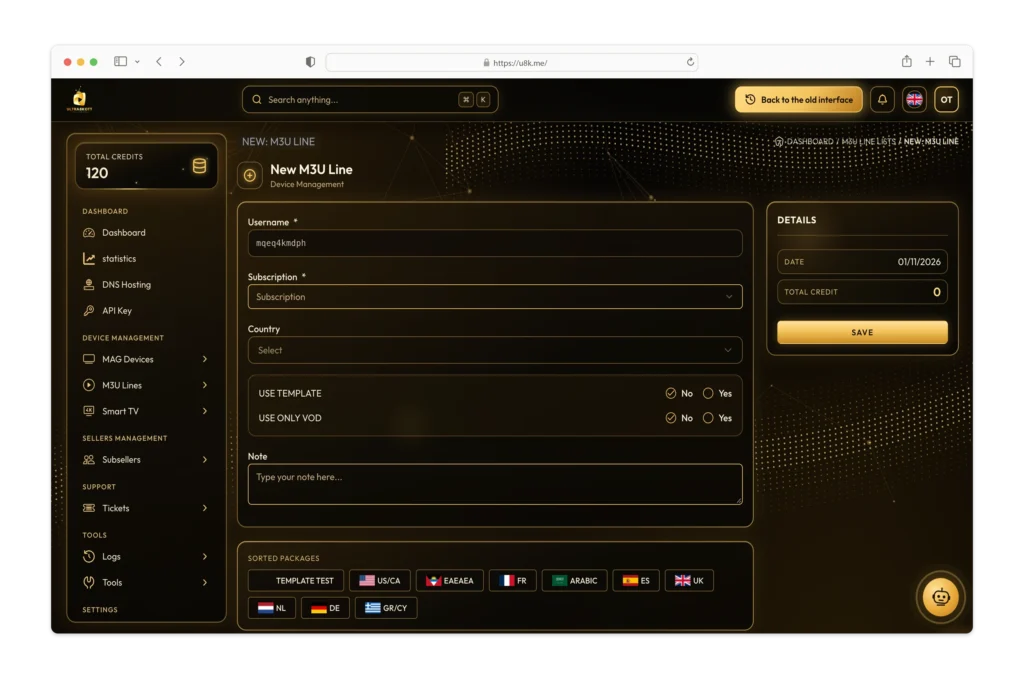
Before extending a subscription, locate the existing customer line and verify its reference and current expiry date. Review the customer’s requested period and your reseller balance. Opening an unrelated new line can leave the customer using their old details.
Use the renewal or extension control available for the existing account. Review the duration and credit debit before confirming, then check the updated status and expiry date. If the new date or balance is unexpected, stop and ask our support team to review the account.
Keep a record of the agreed customer period, the date you applied it and the account reference. Do not include panel passwords in shared screenshots or customer-facing records.
An M3U line and a MAG device account are managed in different areas of the panel. For a MAG setup, have the device model and MAC address ready and check the required account settings with support. Do not assume that a device licence is included with a reseller credit package.
See the reseller setup and MAG guide or check the channel and VOD catalogue before placing a customer order.
Support is available 24/7. Send the account reference, device or app model, the step where you are stuck and any visible error message. A screenshot with customer details hidden can make the issue easier to explain. Never post passwords or customer login details publicly.
Compare the credit packages and choose the balance that fits your customer subscriptions.
Message us on WhatsApp with your package and setup questions.
We send your panel login in under 5 minutes after confirming receipt of your payment.